Saturday, May 5, 2012

I4G @ Microsoft … Dream It, Learn It, Live It

1 comments

Last weekend was a busy one for me. I had to prepare for the Imagine cup local finals , because I led one of the top 6 teams in Sri Lanka this year. At the same day I had to leave the county as well.. Confused smile 
Now don’t ask what happened to the Imagine Cup, or Did you get the cup? . Life’s not fair folks ! Not at all.

Microsoft has initialized a new programme called “ Innovate for good” arround the globe recently. For the Asia Pacific region it was held on Singapore.
The purpose of this programme to get the help from youth to generate Ideas and help them to make a world better place. There were 100 youth from Asia pacific region gathered to this at 28th and 29th April 2012.

I was bit late because of my schedule and I was the last person arrived from overseas.(According to the Taxi Driver).
Day One

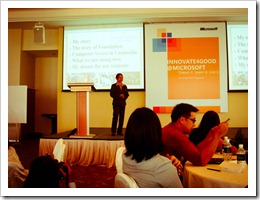
Day one was at the the Shangri La  Rasa Sentosa resort. It was conducted by Bernie Jones (MD,Impact Corporate Training ) , and there were inspirational story from Ponheary Ly,from Cambodia.She was awarded the CNN Heroes award by in June 2010.

 
DSC01593 DSC01594
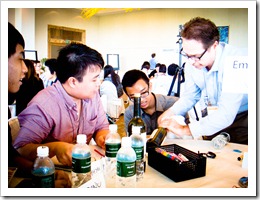
                        Bernie is advising for our team

DSC01602
                                  My Team Mates (Employment) ,May from HongKong, Joseph from Taiwan , Harry from Indonesia.
DSC01597
 
 
Inspirational Story from Ponheary
DSC01613

                                             Outside View of the Resort

DSC01627
                    Harry & Wenjie is trying to make a Mind Map for our solution
DSC01631 
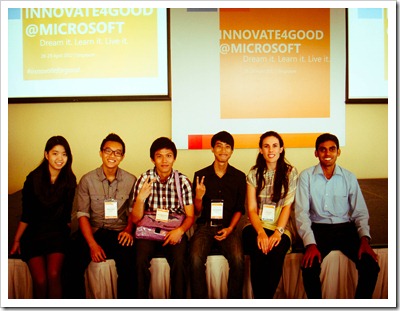
        My Team mates (without Jay and Joseph) with Clair Deevy,Citizenship Lead , Microsoft APAC .


Day Two


Day two was held at the Microsoft Singapore office . It was a great experience to me. I met several Microsoft officials from there. We had a mentor from there, John Galligan (Regional Director , Microsoft APAC). Wonderful person to talk and I have learned lots of things from him.


DSC01736
MTC(Microsoft Technology Center) is refurbished few weeks ago and we are the first groups that got the experience of it.
I was there to experience how Data Center works and fortunately I got a chance to get inside of that room (18 Degrees cool in there…. ) 


 In there we made a solution for the visually impaired people and did a five minutes presentation on it.


There was a inspirational story from the Efren ,A teacher and a social worker in the Philippines . He was named CNN Hero of the year in 2009.

DSC01730
                                           Playing with Microsoft Surface 

DSC01738
                                                        Inside MTC


It was a short tour . Therefore I did not get a chance to look around … (May be the next time Winking smile )

Anyway my special thanks goes to Mr. Wellington Perera (DPE Lead, Microsoft Sri Lanka) for the support he has given me all these years(This phrase is not enough to thank him… ) & Mrs. Janakie Karunarathne (Manager – Community Affairs , Microsoft Sri Lanka ) for nominating me  for this event as well.
Apart from that my special thanks goes to  Clair Deevy, (APAC Citizenship lead , Microsoft APAC) for organizing such events in APAC region . A very dynamic figure I have ever saw. Bernie Jones for his interesting training sessions and My team mates at the event .


P.S :- Oh Forgot to mention …. There’s one person I need to thank, A friend , A brother, A Mentor. Prabath Aiyya  for the Shuttle Service !!! Smile with tongue out.

Saturday, April 7, 2012

Free Vs Priceless

1 comments

Hi folks!
Sri Lankans are normally and unintentionally very much like to get the free stuff from others. Whether they are are valuable or not!
Recently I’ve conducted two day workshop for the A/L IT Students. According to the government statistics ,
Uva Province has the lowest IT literacy in the whole country. I don’t know why and how this has happened. This is the true digital divide as I think.

lit

(Image from http://www.statistics.gov.lk/CLS/index.htm)

I have shared some of my thoughts and experience with them freely because I think it is PRICELESS!!!
With me there were three speakers, My friend Rohana and Osada.Thanks Guys for the sessions Smile
The workshop was a tremendous success for a pilot project. Most of the students in Badulla District who are learning ICT as their core subject in Advanced Levels   participated for this. Some of the students said that they don’t have an IT teacher in school for guide them.
Finally I would like to thank the people behind the scene. Mr Nimal Gunarathne (IT Teacher , Dammannda College, Mirahawatte ) and Dr.Jayalath Atthanayake for providing facilities for conduct the workshop.

and I will upload the pictures soon…

Saturday, September 3, 2011

Unified Communication with Lync

0 comments


Hi there, Yes ! Smile Finally I’ve found a time to write my blog. This time no more coding stuff. But recently I’ve been looking for  some information on this So called Lync. And Finally I’ve found it.

mslync-logo

Before identifying what is Lync we need to Identify what is Unified Communication

Wikipedia states that ,

Unified communications (UC) is the integration of real-time communication services such as instant messaging (chat), presence information, telephony (including IP telephony), video conferencing, data sharing (including web connected electronic whiteboards aka IWB's or Interactive White Boards), call control and speech recognition with non-real-time communication services such as unified messaging (integrated voicemail, e-mail, SMS and fax). UC is not a single product, but a set of products that provides a consistent unified user interface and user experience across multiple devices and media types.[1]

In its broadest sense UC can encompass all forms of communications that are exchanged via the medium of the TCP/IP network to include other forms of communications such as Internet Protocol Television (IPTV) and Digital Signage Communications as they become an integrated part of the network communications deployment and may be directed as one to one communications or broadcast communications from one to many.

UC allows an individual to send a message on one medium and receive the same communication on another medium. For example, one can receive a voicemail message and choose to access it through e-mail or a cell phone. If the sender is online according to the presence information and currently accepts calls, the response can be sent immediately through text chat or video call. Otherwise, it may be sent as a non real-time message that can be accessed through a variety of media


Lync Server is a solution for implementing the above communication method. and simply we can say Lync is a platform which providing facilities for ,

  • Instant Messaging
  • File Transfering
  • peer to peer facilities
  • Video & Voice Calling etc;


One key feature of this  server is there are several devices which is specially made for this technology. Such as,

  • Microsoft RoundTable is an audio and video conferencing device that provides a 360-degree view of the conference room and tracks the various speakers. This device is now produced and sold via Polycom under the product name CX5000.
  • LG-Nortel and Polycom also make IP phones in a traditional phone form factor that operate an embedded edition of Office Communicator 2007. The physical plastic phones as referred by Microsoft are also named Tanjay Phones.
  • SNOM has produced the first open SIP phone that also integrates to OCS

There are some eye catching videos about these features in Youtube.If you like you can just find from there.


References:-

Offical site for Lync
Wikipedia

Wednesday, March 2, 2011

Brute force….

5 comments

Hi there!, It’s quite late to write a new post due to my heavily busy weeks . Anyway recently I firemasterwas able to break down a windows password(Of course it’s simple as ABC Winking smile ) but I thought it might helpful to discuss about brute force attacking method.

There are several password finding methods,

1.Common and most time consuming one is so called ‘ Brute Force’
2. The other one is ‘Dictionary Attack’


and there are more ways, but it’s up to you to find .

So what is Brute Force.

According to Wikipedia…..

a brute force attack or exhaustive key search is a strategy that can in theory be used against any encrypted data[1] by an attacker who is unable to take advantage of any weakness in an encryption system that would otherwise make his/her task easier. It involves systematically checking all possible keys until the correct key is found. In the worst case, this would involve traversing the entire search space.

but how it works ? That’s the question, Here’s how it works

lets see the password is “CDE”

We can write a simple program or a Script to input the password by key by key ,related to ASCII value.(This is a simple way)

First the program will try from  

AAA
BAA
CAA
DAA   and so forth . Open-mouthed smile

Until it finds the ‘CDE’ character set.

It’s pretty time consuming task but there is a special version of brute force attack called ‘Rainbow Tables’ .I’ll write about them later .And there are number of ways to overcome this. One way is to encrypt the codes by “One type pad” cryptographic method. .

other common ways are,

-Add more characters other than letters or numbers such as ‘*’ ,’@’,’#’
-Use a bit long password. (But remember the password!)
-Imposing a 30 second delay between failed authentication attempts
-Locking the account after 5 failed authentication attempts

Like these things to find a key by brute force attack will take time than attacker expected! .

Tuesday, January 4, 2011

Use Your Camera to Stitch the World!

0 comments

Hi folks!, Very Happy New year.This time I’m not going to explain a developing tool ;).

logo This is just a web app by Microsoft and this thing have some amazing capabilities . So what is this ? This tool called Microsoft Photosynth. This will allow you to virtually build an Environment with the help of your captured photos.

You didn’t get it right? Yes . OK Imagine you are in TajMahal(Hope you are not Shah Jahan!!) Now you have a Digital Camera.What will you do . Shooting ,Shooting like this is the end of the world!. Then what will you do just uploading those to FB or someplace.

Imagine If you can visualize a 3D map with the help of your photos of TAJ MAHAL ! Now this is the place where the Photosynth comes in.

Photosynth can Generate the map.This is a remarkable technology.Just give it a try.

To view those synthed images you need Silverlight .So Install them. And there is a Guide on how to Shoot photos for photosynth.

Here is an Example.

This is the Guide

Happy Synthing!!!

Saturday, November 27, 2010

F.A.Q s of Microsoft Student Champs….

0 comments

Hi there ! Microsoft Sri Lanka has initiated a student community called Microsoft Student Champs and I’ll tell what is this community and how it acts and so forth;39224_421115522434_503907434_4649536_1280945_n

1.What is Microsoft Student Champs.?

MSC is a Student Based community which was initiated by Microsoft Sri Lanka .This  is like Microsoft Student Partner Program in Other countries.

2.Is it just a technical community?

Nope.It’s not .For the Survival of IT related graduates they need more than something which they normally don’t get from their Universities .This community will provide those things for them.

3. What are the other things?

Well,You can improve your presentation skills,How to face for an Interview(Improve your Soft Skills.).Sharing the knowledge with Other university people and Industry professionals.And there are so many things that you can get from this.For this MSC Organizing a Non-Tech meeting too.

4.Well . How  I can join to this community?

Any University Student can join to this community.This Month is especially for the new comers!.We called it Networking Month.33439_443745192434_503907434_5148265_7741575_n

You can log in to the champs web or visit our Facebook Group for getting the latest Information on this community.

Saturday, November 13, 2010

Cool Tricks & Tips in VS 2010(Part I)

1 comments

Hi there after a few weeks ! . Anyway Microsoft Visual Studio 2010 has some remarkable features which you can never ever find from another IDE exists in the World!!!

So enough talking ,Lets find what are the Cool Features in this excellent IDE.


Arrange and Dock Feature.

VS 2010 has enhanced its docking feature of it’s sub windows.

They are ,

  • Tab-dock windows to the editing frame.

  • Dock tool windows to the edge of a frame in the IDE.

  • Float windows over or outside the IDE.

  • Minimize tool windows along the edge of the IDE.

  • Display windows on different monitors.

  • Tile windows in the editing frame.

  • Reset window placement to the default layout.


The following diagram shows the guide diamonds that appear when you drag a tool window or document window toward the center of the IDE. The diamond on the right edge only appears when you drag a tool window toward the edge of the IDE.


IC294863

To dock tool windows and document windows
  1. Click the tool window or document window you want to dock.

  2. Drag the window toward the middle of the IDE.

    A guide diamond appears. The four arrows of the diamond point toward the four sides of the editing pane. If the window is a tool window, an additional four arrows point to the four edges of the IDE.

  3. When the window you are dragging reaches the location where you want to dock it, move the pointer over the corresponding portion of the guide diamond. The designated area is shaded.

  4. To dock the window in the position indicated, release the mouse button.


Zoom

You can zoom in or out in any code or text editing window by pressing and holding the CTRL key and moving the scroll wheel on the mouse. The zoom feature does not work in other windows.

Box Selection

New VS 2010 has added the following new features to the IDE.(Previous versions of VS also had the Box Selection ,you could select a rectangular region of text by holding down the Alt key while selecting a region with the mouse. You could then copy or delete the selected text)

  • Text insertion: Type into a box selection to insert the new text on every selected line.

  • Paste: Paste the contents of one box selection into another.

  • Zero-length boxes: Make a vertical selection zero characters wide to create a multi-line insertion point for new or copied text.

Architecture Explorer

A cool addition in VS2010 is the Architecture Explorer (Click View->Architecture Explorer).This will provide visual interfaces for navigate through your solutions.

image_thumb31 image_thumb39


References:- Microsoft Developers Network,amazedsaint’s .net journal.